
Tower Rush on mobile: browser access and controls
Tower Rush is generally played through a casino’s mobile browser, while availability depends on the operator and your region.
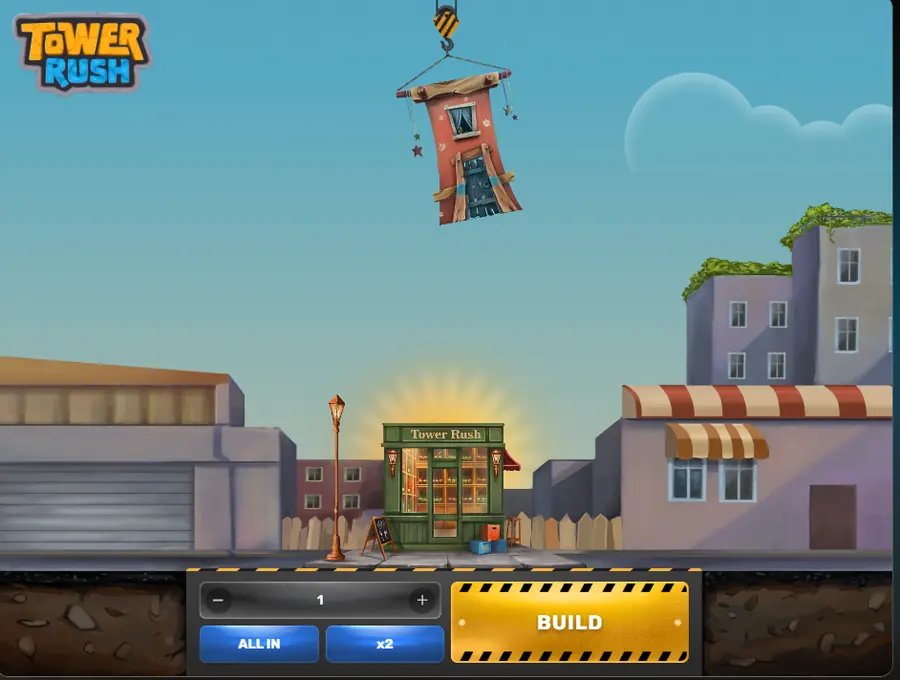
You can play Tower Rush on a phone through a casino website when the operator offers the game in your region. Before starting, make sure the game screen shows the round status, stake, multiplier, Build button and Cashout button clearly; those details tell you whether the next action has registered. Use the operator’s own access route and review its app or browser instructions before entering account or payment details.
📑 Table of contents
Does Tower Rush have a separate app?
The available information does not confirm a separate official Tower Rush app or standalone APK. In many cases, the casino opens the game in a mobile browser. If the operator also has an app, its publisher and listing should match the information supplied on the operator’s website.How to open the game safely on a phone
Start from the casino’s known website or its official app, sign in, and select Tower Rush from the catalogue. Pay attention to the domain and connection before entering your details. An APK offered by an unrelated page can be misleading or unsafe, so leave the page if its source cannot be tied to the operator.Check where the file comes from
When a casino supplies an app, use the store listing or domain that the casino identifies as its own. The publisher name, web address and permissions should make sense together. If they do not, pause the installation and ask operator support for confirmation.When a mobile browser is enough
No installation file is needed when Tower Rush launches in the browser. A compatible, up-to-date browser, a reliable connection and casino access are enough to begin. If the game opens correctly, you can stay in that browser rather than adding another app to the phone.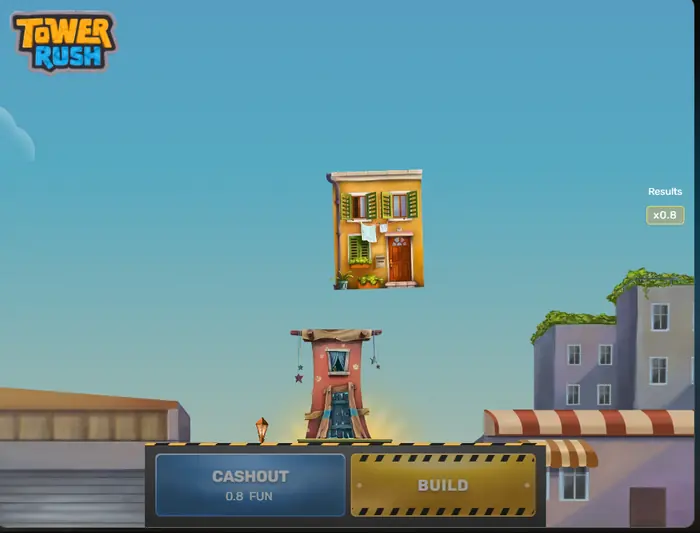
Tower Rush controls on mobile
Enter the stake and tap “Build” to place a floor. A successful placement raises the multiplier and the possible win; “Cashout” credits the amount currently shown and ends the round. Tapping “Build” again adds another floor, but a collapse loses the round unless Frozen Floor has protected the current win. The tower can continue without a set floor count, and the named features Frozen Floor, Temple Floor and Triple Build affect play inside the game rather than how it is installed. The screenshot shows the two controls to look for on a phone.Buttons and screen readability
A phone display should show the stake field, current multiplier and round status at the same time. If a label is cut off, use the browser’s zoom or turn the handset before making a move. Take a moment to read the amount you intend to stake; a crowded layout is a good reason to wait, not to tap at random.Screen rotation and full screen mode
Landscape view or full screen can give the tower more room when the casino site supports either option. After changing the view, make sure you can still reach the game controls and the route back to the account. Return to the normal browser view if the layout becomes less usable.Requirements and troubleshooting
No exact minimum operating system version is stated for Tower Rush. The practical basics are a supported, updated browser, sufficient free memory and a steady connection. Server-side results remain authoritative, although a weak connection or slow device can make the animation and result appear late. If the display behaves oddly, use the troubleshooting steps below rather than making another move immediately.The game freezes or will not load
When loading stops, close background tabs and reload once the page is ready to be reopened. If the interruption happened during an active round, look for its recorded status in the account or contact casino support before submitting another stake. A server-registered win is credited automatically; an accepted round can finish after one hour of inactivity if the connection does not return.No sound or misplaced buttons
For missing sound, review the phone volume and the browser’s permission for the site. A shifted interface is often easier to correct by changing portrait or landscape view, then returning to the game. If the fault remains, tell casino support the device model and what appeared on screen; keep passwords and verification codes private.Protect your account and device
A private phone should still have a screen lock and current operating system updates. Use a password that is not shared with another service, and turn on two factor authentication when the operator provides it. On a shared device, avoid saving payment details; sign out after the session and remove stored account data when appropriate.
Download, demo and related pages
The Tower Rush demo is a useful place to learn the round sequence and practise the Build and Cashout flow before using real money. A browser session and a separately installed app are different access methods. A page labelled as a Tower Rush download does not, by itself, prove that the file comes from Galaxsys.Age limits and responsible play
Tower Rush is intended for people aged 18 or the minimum age required by local law. Set a spending limit and a session boundary before you begin, then stop when either limit is reached. Phone access makes a game convenient, so avoid playing while driving, at work or on someone else’s device; seek support if gambling becomes hard to control.FAQ
Can I download Tower Rush on Android?
The available information does not confirm a separate official Android app or APK. In practice, the operator may open Tower Rush in a mobile browser. Follow the access method described by the casino rather than relying on an unauthorised download listing.
What are the minimum requirements for Tower Rush?
No exact operating system baseline is specified. A supported updated browser, free device memory and a dependable internet connection are the practical starting points; the casino may also set its own compatibility conditions.
Does Tower Rush have an age restriction?
Yes. Access is limited to people aged 18 or to the higher minimum age required by the law where you live.
How can I fix Tower Rush loading problems?
First separate a display problem from an active round. If a stake may already have been accepted, ask the casino to confirm the round before trying again. For a page that simply fails to open, close unused tabs, reload it, clear the browser cache or try another supported browser.