
Tower Rush game login via a casino account
Tower Rush normally opens through the casino account that hosts it, so your access details stay with that operator rather than a separate universal profile.
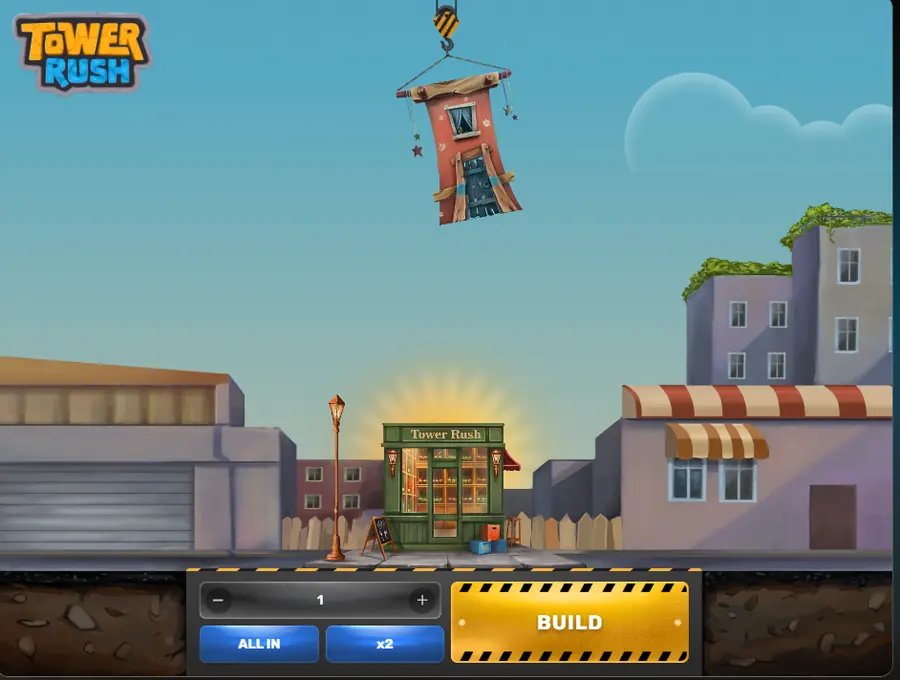
Open Tower Rush from the casino that offers it and sign in on the operator’s own protected website. Confirm that the casino accepts players in your region and that the address is genuine before you continue; the game page should not ask for your casino password or one time code.
📑 Table of contents
How to log in to Tower Rush
Visit the casino where Tower Rush is listed, sign in through its own account page, then locate the game in the catalogue or with the site search. Access is tied to that operator’s profile; no separate universal Tower Rush account has been confirmed. Open the Game page
Step by step casino login
The normal path is short: open the operator’s website, choose its sign in option, complete authorisation on the protected page, and select Tower Rush from the catalogue. Some casinos place games in a separate menu, which you can open once the account session is active.
Check the address and connection
Before entering account details, compare the domain with a trusted official source and disregard unexpected login links in emails or messages. A weak connection or slow device can delay animations and result updates. If the server has accepted a bet and the connection breaks during an active round, the game can finish after one hour of inactivity; a recorded win is credited to the balance despite the interruption.
Open the game after signing in
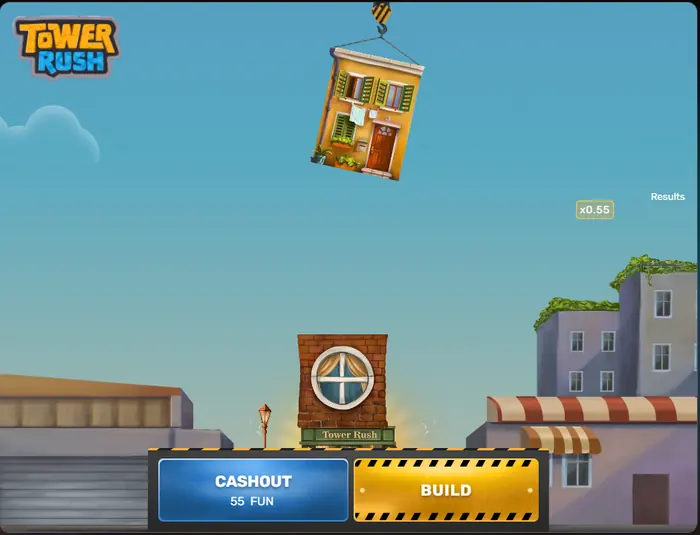
Whether cash play is available depends on the operator’s rules, your region, verification status and account status. A successful sign in does not by itself enable deposits or withdrawals. If Tower Rush offers a trial mode in the catalogue, you can use the FUN balance to learn the controls, including Build and Cashout.
For a free introduction, open the Tower Rush demo.
Logging in on a phone or browser
On a phone, use the casino’s mobile site or its official app when one is genuinely provided by the operator. Tower Rush should open within the same verified casino session. Unofficial APK files and download pages are not a safe replacement for that mobile access.
Session settings and signing out
A saved session can make repeat visits easier on your personal device. On a shared phone or computer, leave password storage off and sign out when you finish; the extra step prevents the next user from opening your account.
Forgotten password and recovery
Start recovery from the casino’s verified website, using the email address or phone number linked to your profile. Follow the identity checks shown by the operator and keep the recovery process within that site. If you cannot regain access, contact the casino through its published support route.
Cannot log in? What to check
Begin with the keyboard layout, Caps Lock, network connection, domain and account status. When the site is unavailable, reload it and look for an operator outage notice. Several failed attempts are a reason to use account recovery rather than keep guessing; account and payment access can be resolved by the casino’s support team.
Password error or account lock
Use the casino’s official recovery and verification route if the password fails or the account becomes locked. Support may ask for information that confirms your identity, but your password and one time login code should remain private.
The game is missing after login
Tower Rush can be hidden by regional restrictions, an incomplete verification process, catalogue settings or the particular site section you opened. Review the game filters, reload the catalogue and check its status. For the game’s rules, use the help inside Tower Rush or the provider’s official materials.
Account security and suspicious messages
Choose a unique, strong password and turn on two factor protection when the casino supports it. Messages about prizes, urgent verification or unusual activity deserve caution: open the operator’s website independently, then handle the matter there. Never disclose your password, codes or card details in response to a message.
Balance, demo and cash play after login
The balance label tells you which mode is running before you press Build. FUN marks a demo session; a cash balance means the round uses real funds. A sign in neither adds money nor grants withdrawal rights, since deposits, withdrawals and cash access follow the casino’s terms. If you decide to play for real, open the Real Money section.
Age limits and safer access
Use your own account and meet the legal age requirement in your region, such as 18+ where that is the local threshold. Gambling can cause financial loss, so decide on a session budget beforehand and stop when spending no longer feels comfortable. A partner link does not recommend gambling or confirm that a particular casino offers Tower Rush.
FAQ
What is the RTP of Tower Rush?
Tower Rush has an RTP of 96.17% to 97%. The exact figure can depend on the game version and the platform’s conditions.
How do I place a bet in Tower Rush?
Enter the stake and press Build. When a floor lands successfully, press Build again to continue or Cashout to collect the accumulated win. The demo limits are 1 minimum and 100 maximum; a real money version may use different limits at the casino.
What should I do if I forget my casino password?
Go directly to the casino website and open its account recovery form. Complete the requested identity checks there, and keep your password and one time codes private, including from anyone who claims to be support.
Can I play Tower Rush for free?
Yes, when the operator provides a demo mode. In that version, the game uses a FUN balance rather than a cash stake, so read the balance label before starting a round.